v1.0.43 · Free for everyone

AnotherPlayer.
Native sample browser.

A native audio player and sample browser, built for sound designers, producers, and composers.

Download AnotherPlayer

Windows 10+ · macOS 11+ · Free

Gapless loops on every format — even MP3.

Instant search across every disk — by name and metadata.

Shrinks to a mini player — waveform and transport, nothing else.

Drag out into any DAW.

Everything in one window.

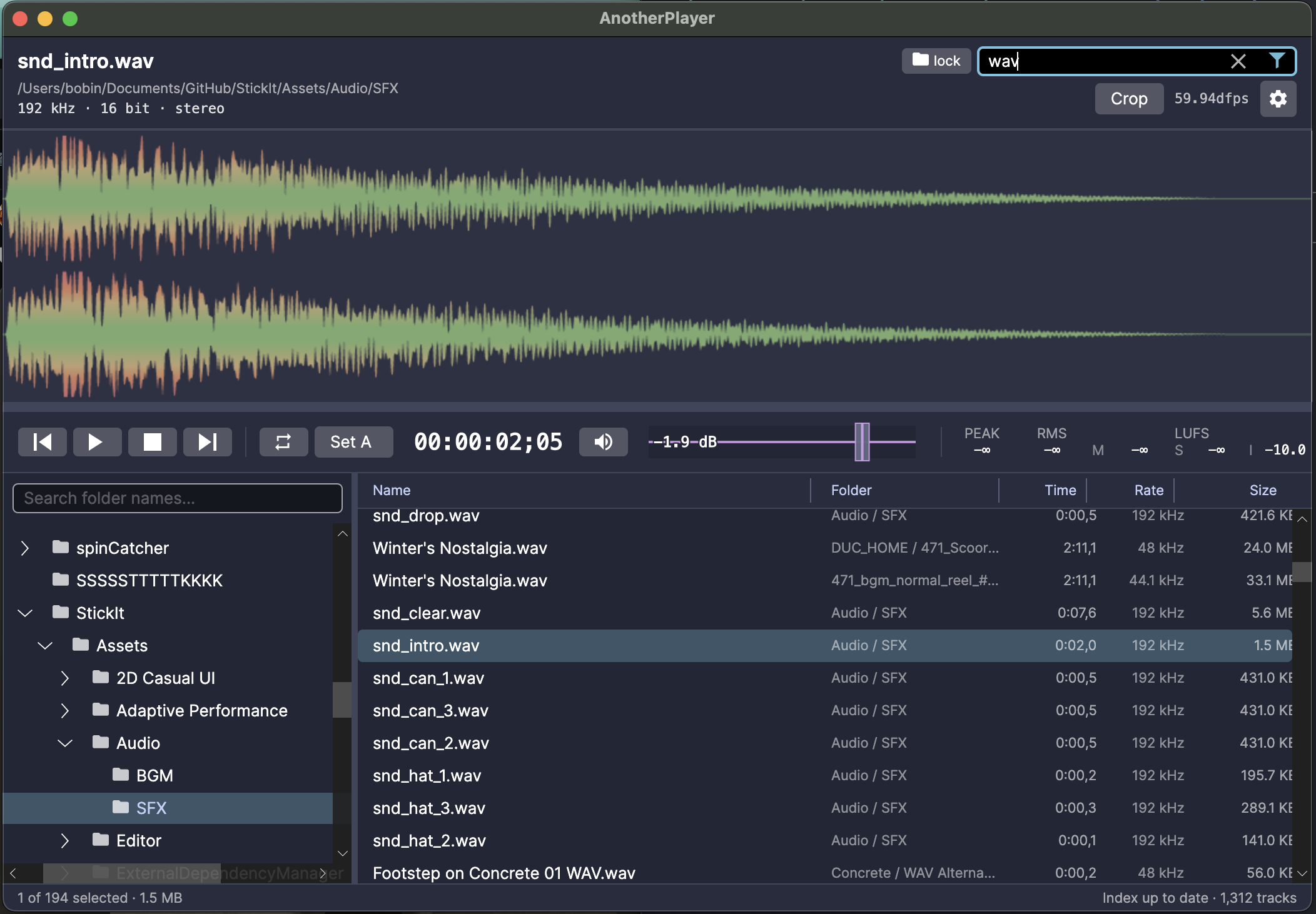
AnotherPlayer main window: folder tree, file list, stereo waveform, and transport bar
Folder tree, sortable file list, a full stereo waveform, and the transport bar — audition your whole library without leaving the app. Up to 192 kHz.

Or shrink it to a mini player.

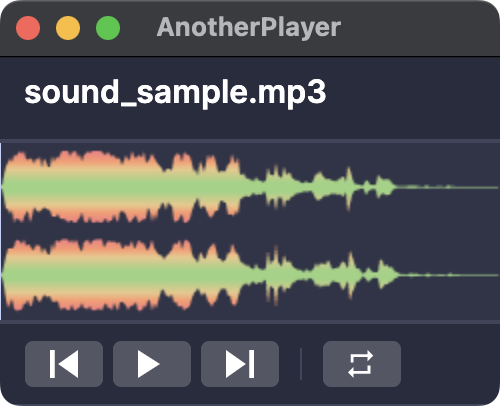
AnotherPlayer as a small, compact mini player window: file name, stereo waveform, and playback controls
Drag the window down to a compact mini player — file name, waveform, transport, nothing else. Play a sound and read its shape at a glance while your session stays in view. Prev, Play, Next and Loop never fold away, however small it gets.

Drag out into any DAW.

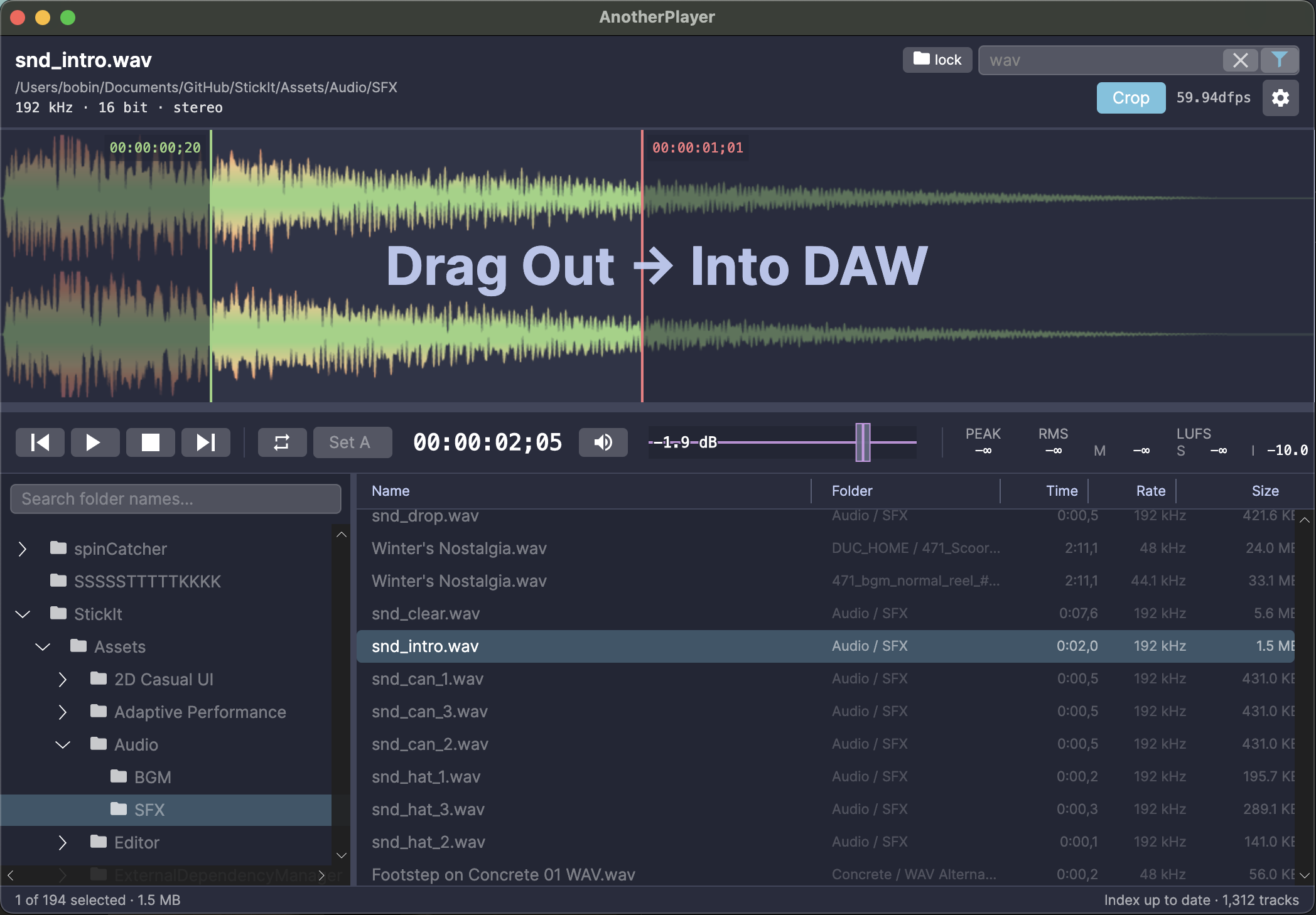
Selecting a region on the waveform to drag straight into a DAW
Select a region on the waveform and drag it straight into your session — no exporting, no temp files.

Pro metering, always on.

Transport bar: SMPTE timecode, volume fader, VU meter, and Peak / RMS / LUFS readouts
SMPTE timecode, a volume fader with a built-in VU meter, and full metering — Peak, RMS, and LUFS (Momentary / Short-term / Integrated).

SMPTE on your terms.

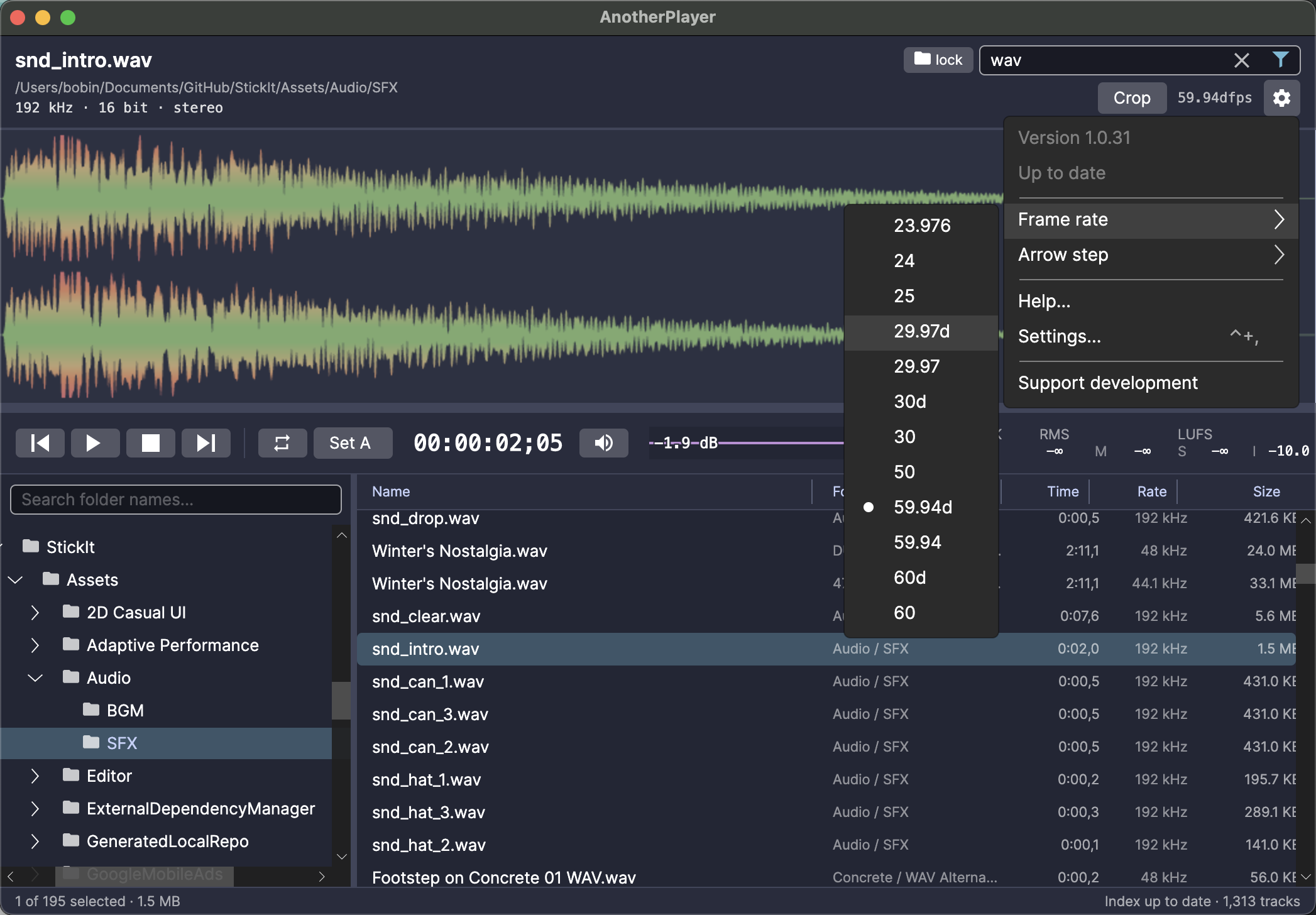
Settings menu with broadcast SMPTE frame rates from 23.976 to 60, drop-frame included
Pick your frame rate — 23.976 → 60, drop-frame included — so timecode matches whatever you’re scoring to.

Convert formats in place.

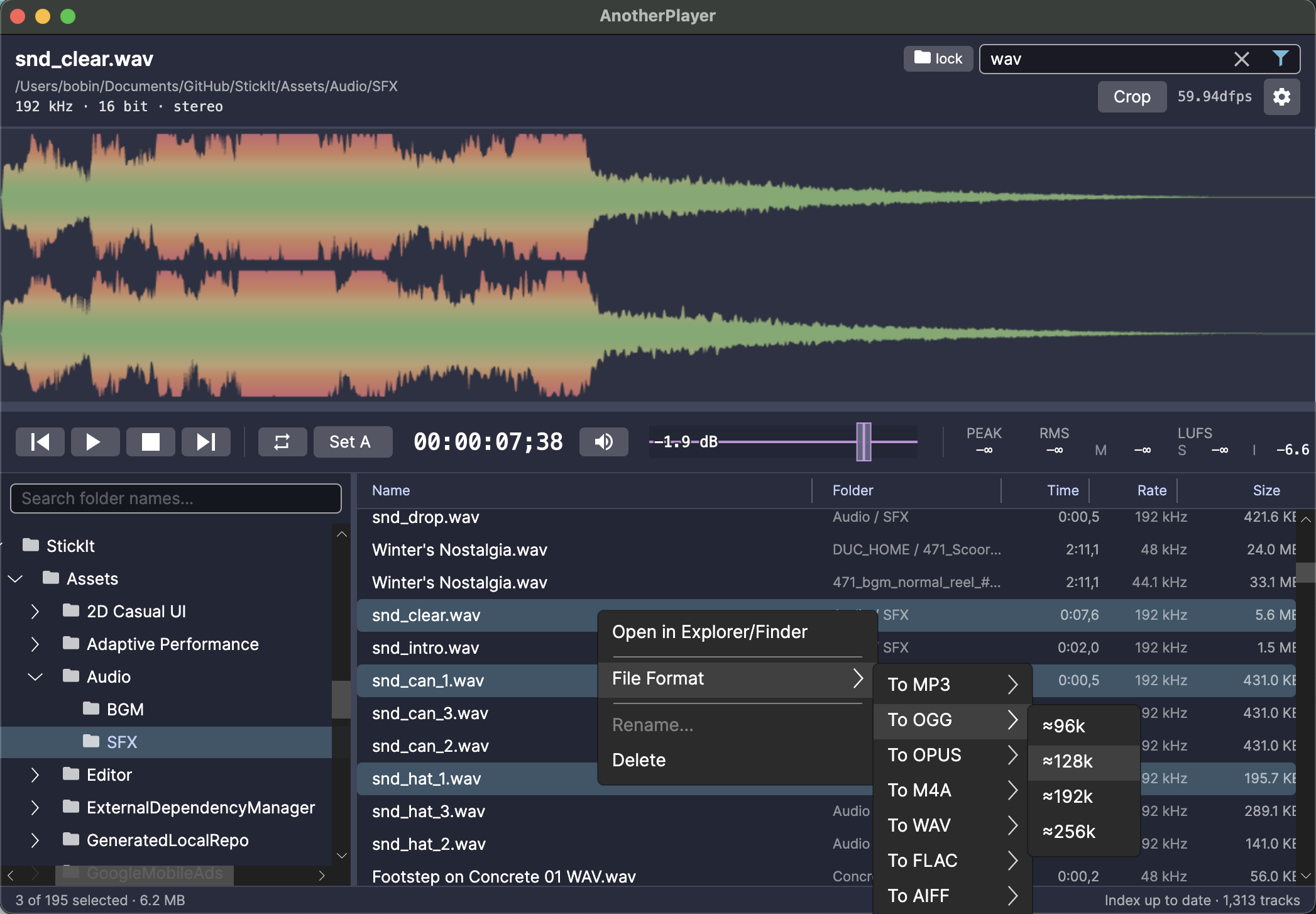
Right-click menu converting selected files to MP3, OGG, OPUS, M4A, WAV, FLAC, or AIFF
Right-click to convert — MP3, OGG, OPUS, M4A, WAV, FLAC, AIFF, with bitrate control. Batch-convert your selection without leaving the browser.